Satellites
Managing Pulsar satellites in Polaris: scope, zones, tags, connectivity, status and the web console.
Global and tenant satellites
| Global | Tenant | |
|---|---|---|
| Created by | operators, super admins | operators, tenant admins |
| Used by | every tenant | that tenant only |
| Zone | always external | external, or the manual tag zone=<name> |
| Private addresses | never | yes |
A satellite does not know which tenant a plan belongs to; it only gets plans and targets. For a global satellite Polaris filters out every private address, so a global satellite placed in someone’s network cannot be used to scan it.
Status
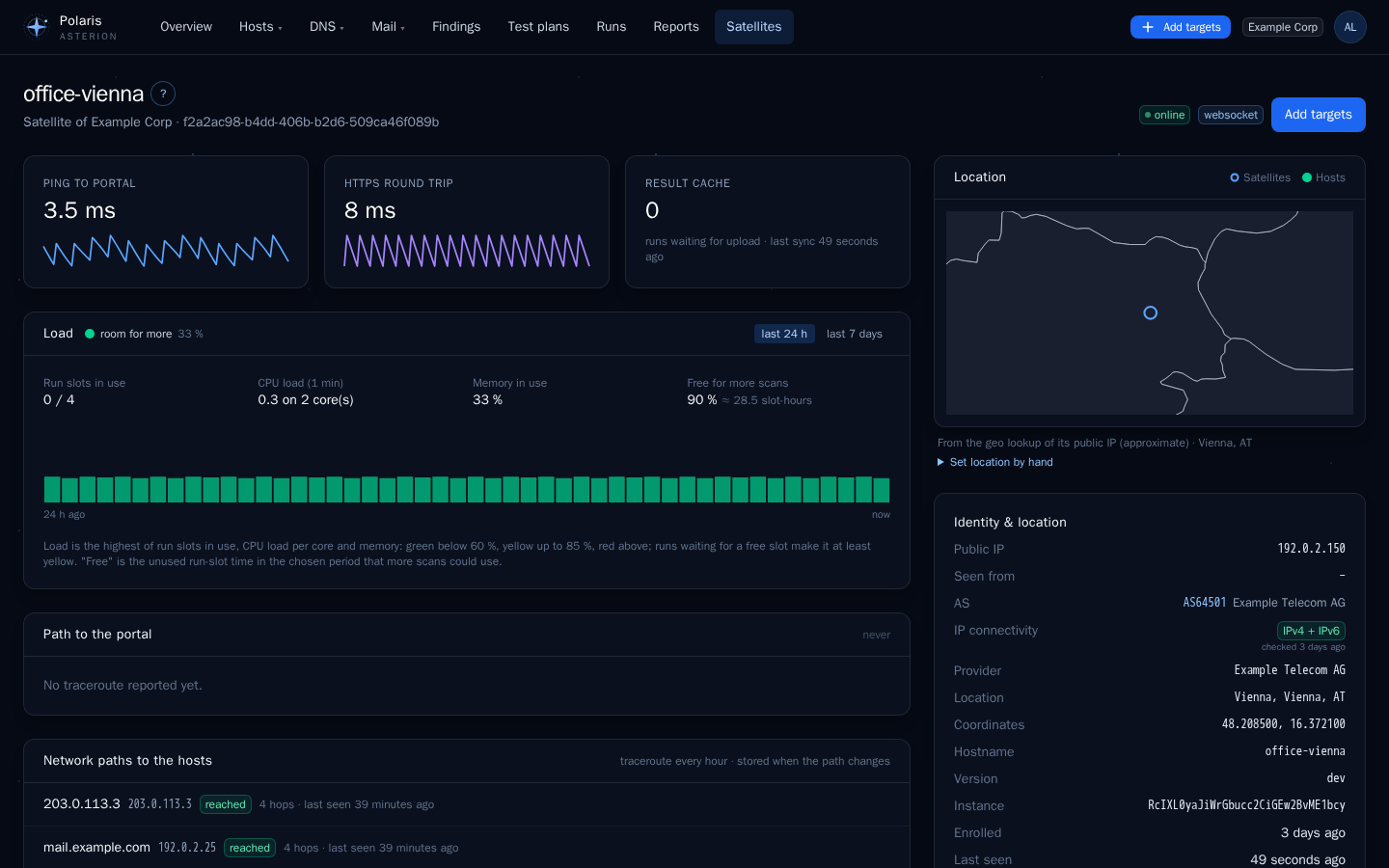
- awaiting enrollment — created, never contacted Polaris. Deployment snippets can be regenerated.
- online — a heartbeat within
POLARIS_SATELLITE_OFFLINE_AFTERseconds (default 180). - offline — no heartbeat for longer. The watchdog logs it and sends
satellite.offlineonce; it logs again when the satellite is back. - disabled — switched off in Polaris; gets no plans.
A satellite running another Asterion version than Polaris is marked outdated (development builds are not compared). Satellites are never updated automatically.
Tags
Tags come from three sources:
auto— from the lookup Polaris makes for the address the satellite connects from (RIPEstat): public IP, AS, provider, city, country. Repeated daily and whenever the address changes.env— fromPULSAR_TAGSof the container.manual— set in Polaris. Only a manual tag sets the zone: the container cannot place itself.
IPv4 and IPv6
Every satellite checks every 15 minutes whether it reaches IPv4 and IPv6 targets and reports it with its heartbeat. Badges on the satellite card show the result. An IPv4-only satellite gets no IPv6 addresses or networks, and the other way round; hostnames and domains are always sent (the satellite resolves them to the family it has). A satellite that has not reported yet counts as able to reach both.
Load
Each heartbeat carries a load sample: busy run slots, waiting runs, CPU load and memory. The satellite page shows the history; the satellite list shows a traffic light.
Location
See Dashboard and maps: set by hand or looked up from an address, otherwise Polaris locates the address the satellite connects from. A satellite in the same private network as Polaris gets no automatic location.
Lost runs
A satellite reports the runs it still works on (or still has to upload) with every heartbeat. A run Polaris has as running that the satellite no longer reports and that had no progress for 10 minutes — for example after a restart in the middle of a scan — is ended as interrupted. If its results arrive later after all, they are still taken. Independent of that, the watchdog ends one-shot jobs without progress for 2 hours and scheduled runs without progress for 26 hours.
Web console
The public page of a satellite (port 8080) shows only what the host is and the abuse contact. Web console in Polaris shows a one-time password that unlocks the detailed status page on the satellite: single use, valid POLARIS_CONSOLE_OTP_MINUTES (15), burned after 5 wrong attempts. The session lasts 15 minutes to 8 hours and can be closed from Polaris.
Abuse contact
Shown on every satellite page, first source wins: the tenant’s own contact (tenant satellites) → the contact in System settings → POLARIS_ABUSE_*.