Asterion Documentation
Distributed open-port and service monitoring: what is really reachable on your hosts, networks and domains, seen from several places at once.
Asterion has two parts:
- Polaris is the central portal. It stores what was found, correlates it into hosts, keeps the history, judges it against your exposure policy, raises findings and notifies you. It runs as a Docker Compose stack with MariaDB.
- Pulsar is the satellite. It is a small container you start wherever you want to look from: a cloud VM, the office LAN, a branch. It downloads its test plans from Polaris, runs the checks (nmap, ping, traceroute, HTTP(S), TLS, SMTP, FTP, DNS, …) on its own schedule and uploads the results.
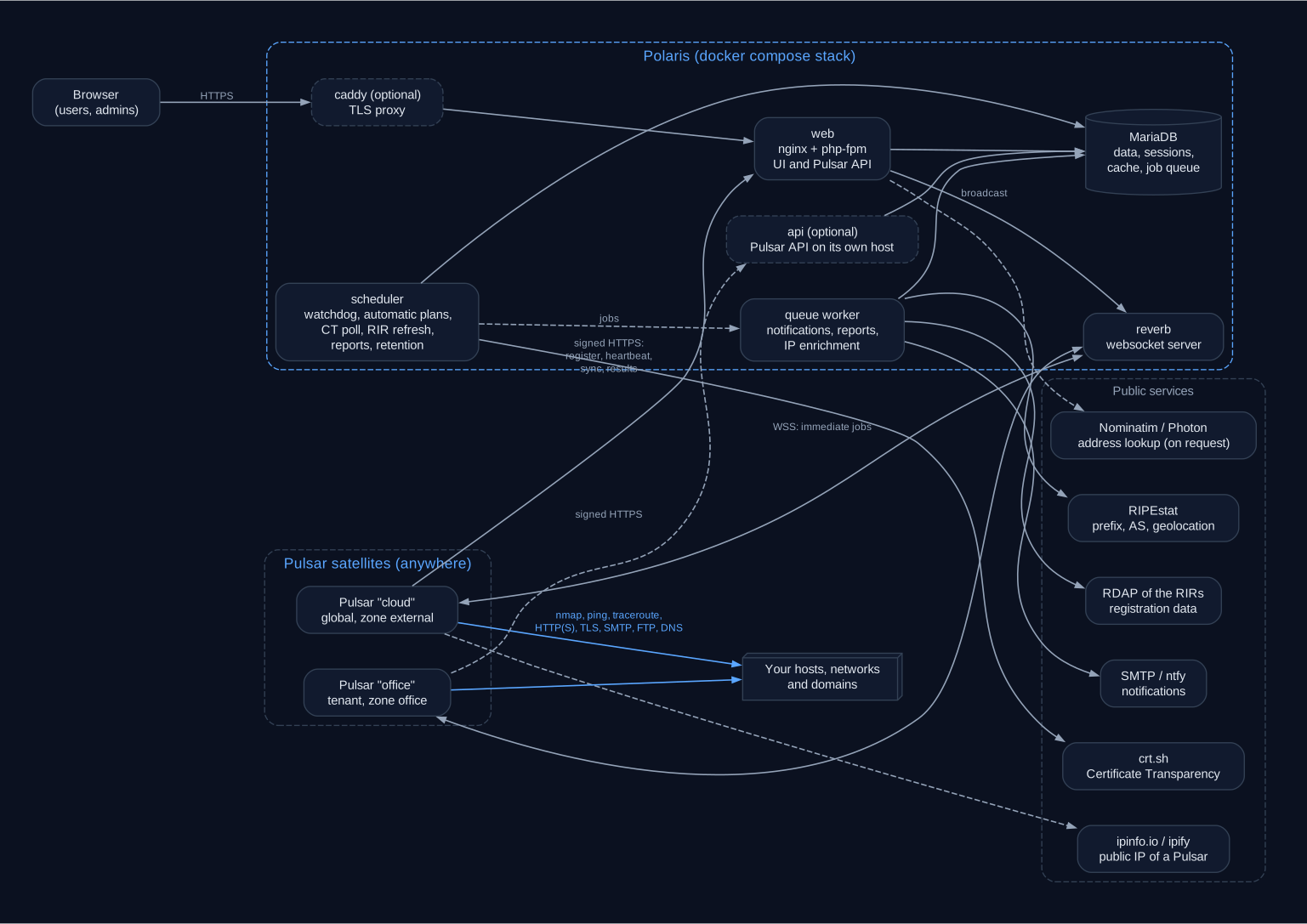
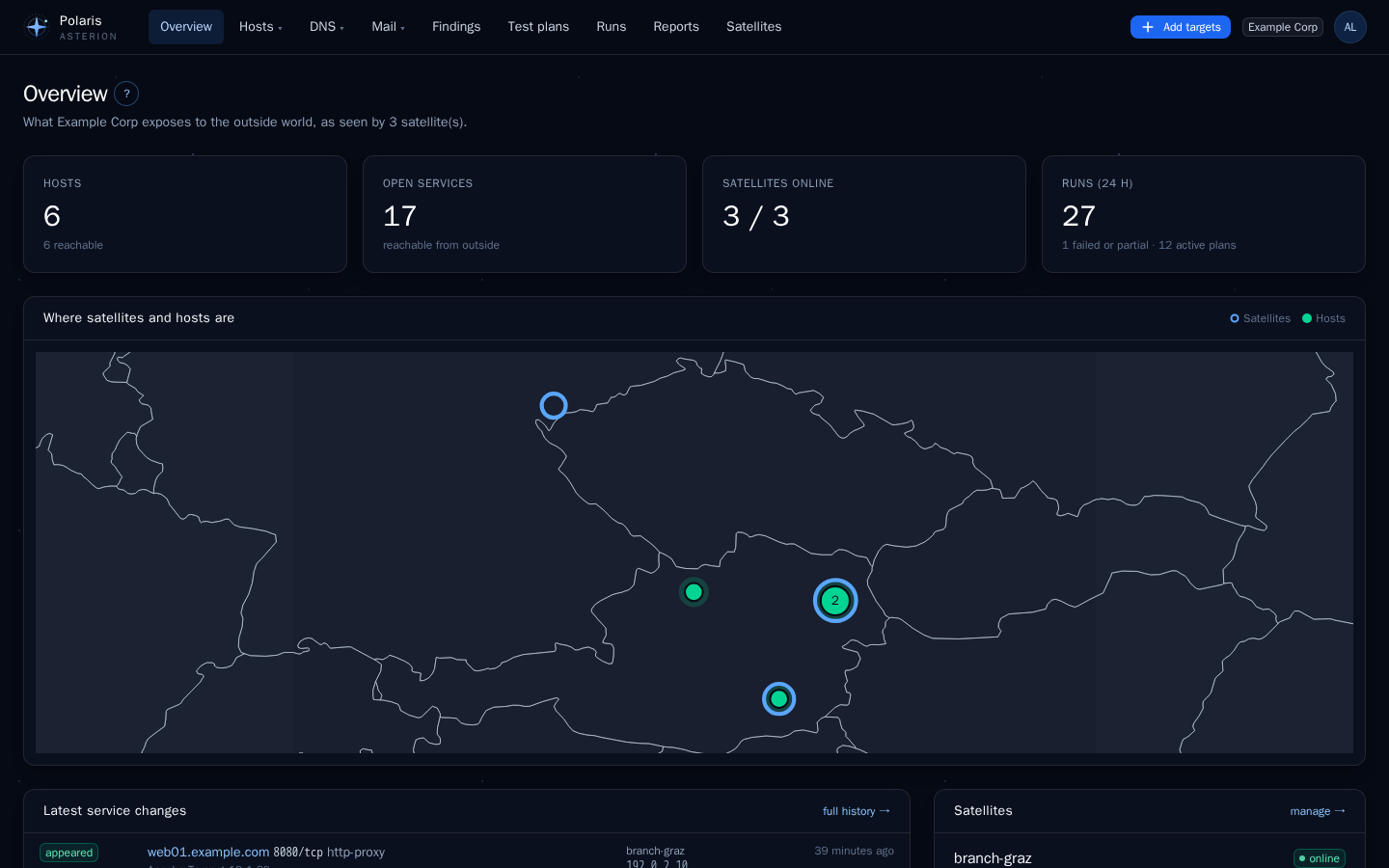
Every satellite sees your systems from where it stands. A port that the office satellite reaches but the cloud satellite does not is not exposed to the internet; the reverse is a finding. That comparison is the core of Asterion.
Where to start
- New installation: Install Polaris, then deploy a satellite and add your first targets.
- Understanding the model: Concepts explains tenants, targets, hosts, satellites, zones, plans, runs and findings in one page.
- Looking up a value: Reference lists every environment variable, every check parameter with its default, the order in which values win and the database.
This documentation belongs to the Asterion release shown at the top of the page. Each release of Asterion comes with a documentation image of the same version.
Getting started
Install Polaris, deploy the first satellite and see your first results.
Polaris
The central portal: what it stores, how it decides, and every page of the UI.
Pulsar
The satellite: a disposable container that scans from where it runs and keeps working when Polaris is away.
Reference
Every variable, default and table — generated from the code of this release.
Operations
Backup, upgrade, privacy, security hardening and troubleshooting.